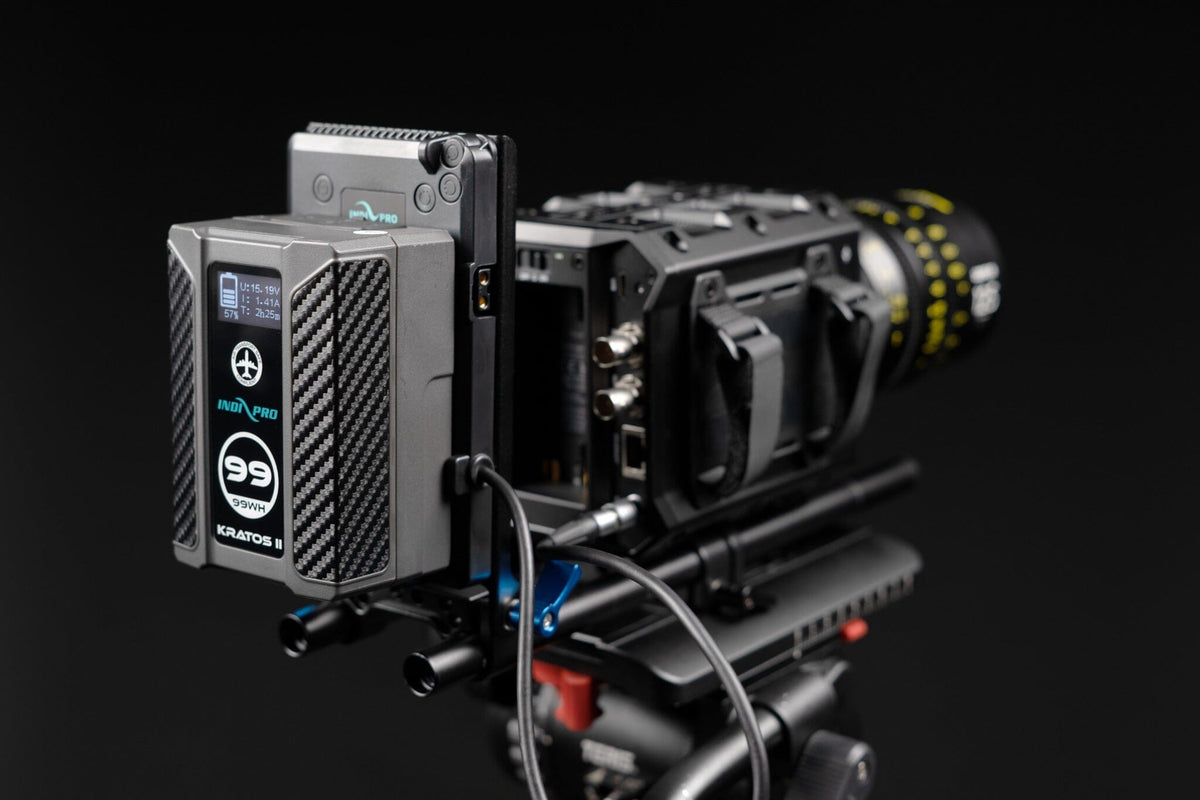
Moving into video production often means powering more equipment—and keeping it running for longer. Cameras, monitors, wireless accessories, and compatible lights can all benefit from a well-planned battery setup.
V-Mount and Gold Mount batteries give filmmakers a versatile way to power their equipment. If you’re new to these systems, a few basics will help you choose the right battery, connect it correctly, and feel more prepared on set.
1. Start with your equipment’s power requirements
Before choosing a battery, check the power requirements of every device you plan to connect. Pay attention to its accepted input voltage, power consumption, and connector type.
A matching connector alone does not establish compatibility. Some devices require a regulated cable or adapter that converts the battery’s output to the voltage they need.
Beginner tip: Make a list of your camera, monitor, and accessories before buying your power setup. This makes it easier to identify the battery, plate, and cables you’ll need.
2. Understand V-Mount and Gold Mount
V-Mount and Gold Mount describe the battery’s mounting connection.
- V-Mount batteries attach using a V-shaped mounting interface.
- Gold Mount batteries attach using a three-stud mounting interface.
Choose the system that matches your equipment or battery plate. If your camera does not have a compatible mount built in, a separate plate or mounting solution may be needed.
The mount is only one part of compatibility—always check the electrical requirements as well.

3. Choose capacity based on your shooting needs
Battery capacity is commonly listed in watt-hours, or Wh. With the same equipment and operating conditions, a higher-capacity battery generally provides longer runtime.
For a basic estimate:
Runtime in hours ≈ Battery capacity in Wh ÷ Total power draw in watts
For example, a 150Wh battery powering a setup drawing 50W has a theoretical runtime of approximately three hours.
Actual runtime will vary with battery condition, temperature, conversion losses, and changes in power consumption. Allow a reserve when planning your shoot.
Capacity also does not tell you everything about power delivery. The battery, individual output ports, plate, and cables must support your equipment’s load.

4. Charge with a compatible charger
Before your first shoot, charge your battery according to its instructions using a compatible charger. Confirm that the charger supports the battery’s voltage and charging method.
Do not assume every V-Mount or Gold Mount battery uses the same charger. Likewise, only charge through D-Tap or USB-C when your particular battery supports that method.
Build charging into your preparation routine so you know which batteries are ready before you leave.
5. Secure the battery and route your cables carefully
Make sure the battery is fully seated and locked into its plate before using the rig. Check that the plate itself is securely attached.
When connecting accessories, leave enough cable slack for normal movement while keeping cables clear of moving parts and snag points. Check connector orientation and never force a connection.
Follow your equipment manufacturer’s instructions for powering down and connecting or disconnecting power.
Beginner tip: Test your complete setup before the shoot, including every accessory you intend to power.

6. Learn your battery’s indicators
Depending on the model, your Indipro battery may use LED indicators or an LCD screen to display charge information.
Get familiar with what your battery shows and how to check it during a shoot. If a model provides estimated remaining runtime, remember that the estimate can change as the connected load changes.
Plan battery swaps during natural breaks rather than waiting for your equipment to shut down.

7. Build good battery-care habits
Follow the charging, operating, and storage instructions for your specific battery. A few useful habits include:
- Avoid routinely running batteries completely empty.
- Disconnect batteries from equipment before extended storage.
- Keep batteries away from excessive heat, moisture, and direct sunlight.
- Protect contacts from loose metal objects.
- Inspect batteries and cables regularly for damage.
Stop using a battery that is swollen, leaking, physically damaged, or unusually hot, and contact the manufacturer for guidance.
For longer periods between shoots, follow the battery’s recommended storage charge level and inspection schedule.
8. Protect your batteries during transport
Use a protective case or padded compartment to keep batteries secure while traveling between locations. Protect exposed terminals against short circuits and prevent batteries from moving around loose with tools or other metal objects.
If you’re flying, check the current airline and applicable aviation requirements for your specific batteries before packing. Requirements can depend on battery capacity and whether the battery is installed in equipment or carried as a spare.

9. Plan your complete power setup
A reliable setup brings together the right battery, compatible charger, secure mounting solution, and correctly specified cables.
Think about your workflow as well as your equipment. A compact rig may prioritize lower weight, while a longer interview or more demanding setup may call for greater capacity and additional spare batteries.
Labeling your batteries and keeping charged and used packs separate can also make a busy shoot easier to manage.
Find the right power solution with Indipro
Getting started with professional batteries doesn’t need to be complicated. Understanding your equipment’s requirements and developing a few good habits will help you build a power setup that fits your production.
Indipro offers batteries, chargers, mounting plates, and power cables for a range of production needs.
Need help choosing? Contact the Indipro team at sales@indiproco.com with your camera model and accessory list for help identifying a compatible setup.